NVIDIA-Jetson-Xavier-NX
Unboxing the NVIDIA Xavier NX
https://www.nvidia.com/en-sg/autonomous-machines/embedded-systems/jetson-xavier-nx/
Got hold of a Xavier NX from SEEED, flew over from SZ to SG in 7 days. Here’s what this IOT super-charged “PI” can do. It’s simply amazing. I complied codes and do concurrent tasks and the system is stable. I can also toggle the use of CORES and wattage. More importantly, got to download a few stuff. such as jtop.
What to install 1st
jtop
jtop gives you the needed view of what is running in the background. The raw version is top. So, this is a custom top. Here are the commands
git clone https://github.com/rbonghi/jetson_stats.git
sudo apt-get install python3-pip
sudo -H pip3 install -U jetson-stats
DeepStream 5.0 Preview
Deepstream toolkit allows you to natively develop Computer vision codes leveraging on the hardware.
sudo dkpg -i deepstream-5.0_5.0.0-1_arm64.deb
cd /opt/nvidia/deepstream/deepstream
tar xf ~/Downloads/deepstream_python_v0.9.tbz2 -C sources
Install Visual Code
As an IDE, its abit better than ATOM but ATOM is more colourful. Still, with this, you can test codes easier and supposingly debugging. But appeared i needed curl
sudo apt-get install curl
. <( wget -O - https://code.headmelted.com/installers/apt.sh )
sudo apt-get install libcanberra-gtk-module
sudo apt-get install v4l-utils
cd /opt/nvidia/deepstream/deepstream/samples
deepstream-app -c ./configs/deepstream-app/source4_1080p_dec_infer-resnet_tracker_sgie_tiled_display_int8.txt
if you needed more stuff, i think you need to compile correctly to run
deepstream-app -c ./configs/tlt_pretrained_models/deepstream_app_source1_dashcamnet_vehiclemakenet_vehicletypenet.txt
Install kazam
Kazam is your video capture for the screen. Useful for documentation
sudo apt install kazam
First Impression
Hunt for jTop and install to see the various stuff running. It’s like top except tailored for NVIDIA

Not going to write alot, but here’s some videos that I captured to show the power of this device Deepstream 5 is not pre packaged with the intial load. You can just go hunt and do some git clone and compliation.
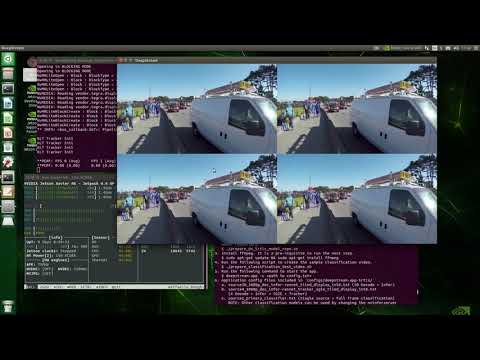
Once, you get the compliation right, you can run the various kinds of application from the samples
This second sample shows object detection
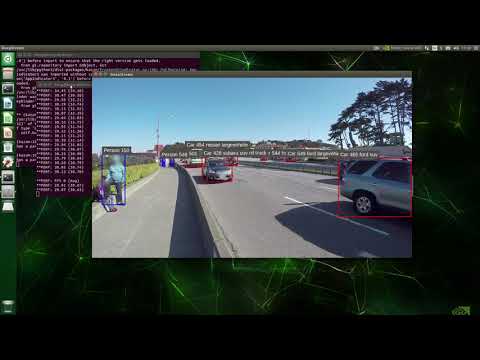
OPENCV and Camera
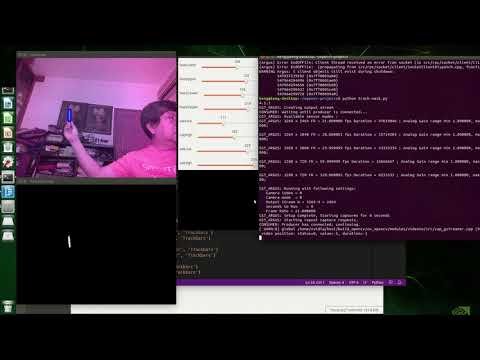
This 3rd item is to test out my Pi camera and doing some OpenCV exploration. I wanted to find out the response time and how easy it is. Will expand on the details next update.
Paul McWhorter has some very nice videos on OpenCV masking and on Nano. I brought in the codes, made some modifications to detect the BLUE marker. Got out my servos but did not do the coding to move the motors when the item moves. That should be exciting too.
YOLO V4
You Only Look Once (YOLO) is a fast library for Computer Vision.
The final part is actually my favourite, using YOLO v4 https://github.com/AlexeyAB/darknet I can easily compile without much modification. The performance is AMAZING.
However, you will need to do the following changes to your
git clone https://github.com/AlexeyAB/darknet.git
go install nano [editor for quick editing of any text file] then go add this to your ~/.bashrc file Basically, when you do a make, it expects to find opencv4.pc and the parameter PKG_CONFIG_PATH must be updated with the following
export PKG_CONFIG_PATH='/usr/lib/aarch64-linux-gnu/pkgconfig'
Also, nvcc will hit an error. Do a find to locate where the nvcc is installed and add to the bashrc.
export PATH=/usr/local/cuda-10.2/bin:$PATH
Once done, you can follow the https://github.com/AlexeyAB/darknet to test out the detector Do make changes to the Makefile to set OPENCV and other GPU stuff. And remember to download your weights via wget ..
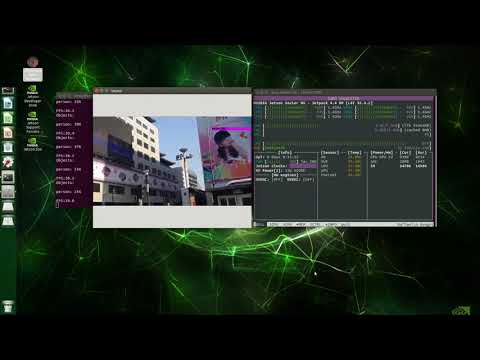
Given I have done this on my UBUNTU laptop with 2 cores, my NANO and now this XAVIER, definitely no drop of speed and continuously processing the video file.
Enjoy! .. GTC 2020 was like May 15, 16 days later, I am able to see this and from Singapore. Without much training. Perhaps, my unix is abit rusty. But was able to move my 256GB MicroSD card and salvage a number of pieces of hardware from my tool box.
Mask or No Mask
Tensorflow 2.1 doesn’t come prebuilt on NX. However, it is easy to install. I wanted to see how it reacts to both Training using GPU as well as how easy it is to add other stuff besides Tensorflow like PyTorch. There were two explorations and below showed one using Torch and TorchVision (which is quite challenging to get it running on Xavier). Even so, the speed was too slow.
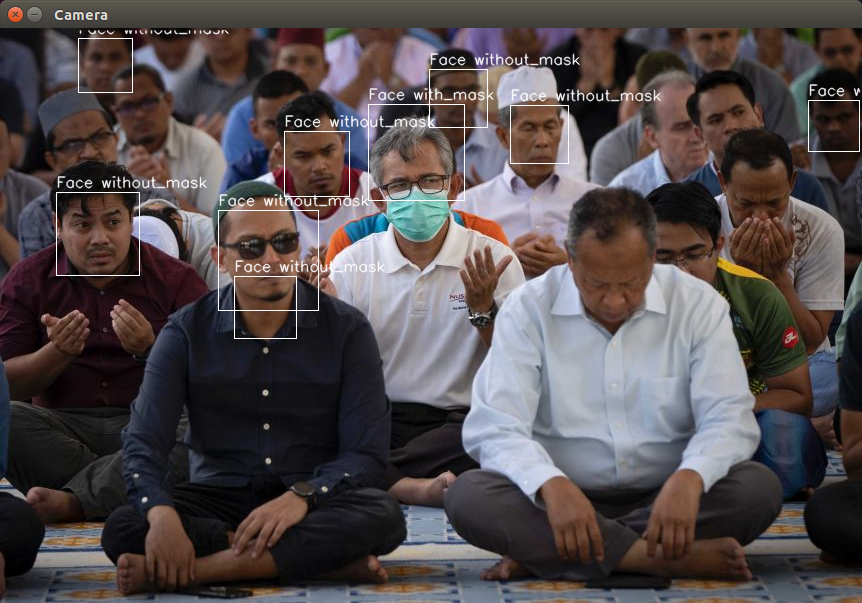
So I hunted down a code set that purely uses Tensorflow. Surprisingly, with some changes to CV2, I managed to get this working off the attached camera. Will put some links here later to explain what I did.
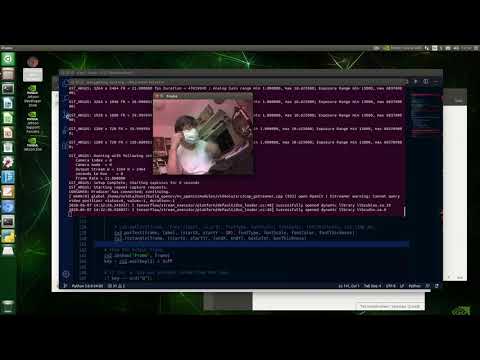
Pytorch LIGHTNING ..
https://pytorch-lightning.readthedocs.io/en/latest/introduction_guide.html
In the light of trying more stuff out on my NVIDIA Xavier NX, I downloaded a set of Pytorch codes and also gotten the Real World Mask Data from China - https://github.com/X-zhangyang/Real-World-Masked-Face-Dataset
Hit an initial problem and I thought i HAD to go CONDA. Yet, twigged around and found that I could install Pytorch Lightning. Here’s the screen shots of the training and the tensorboard graphs
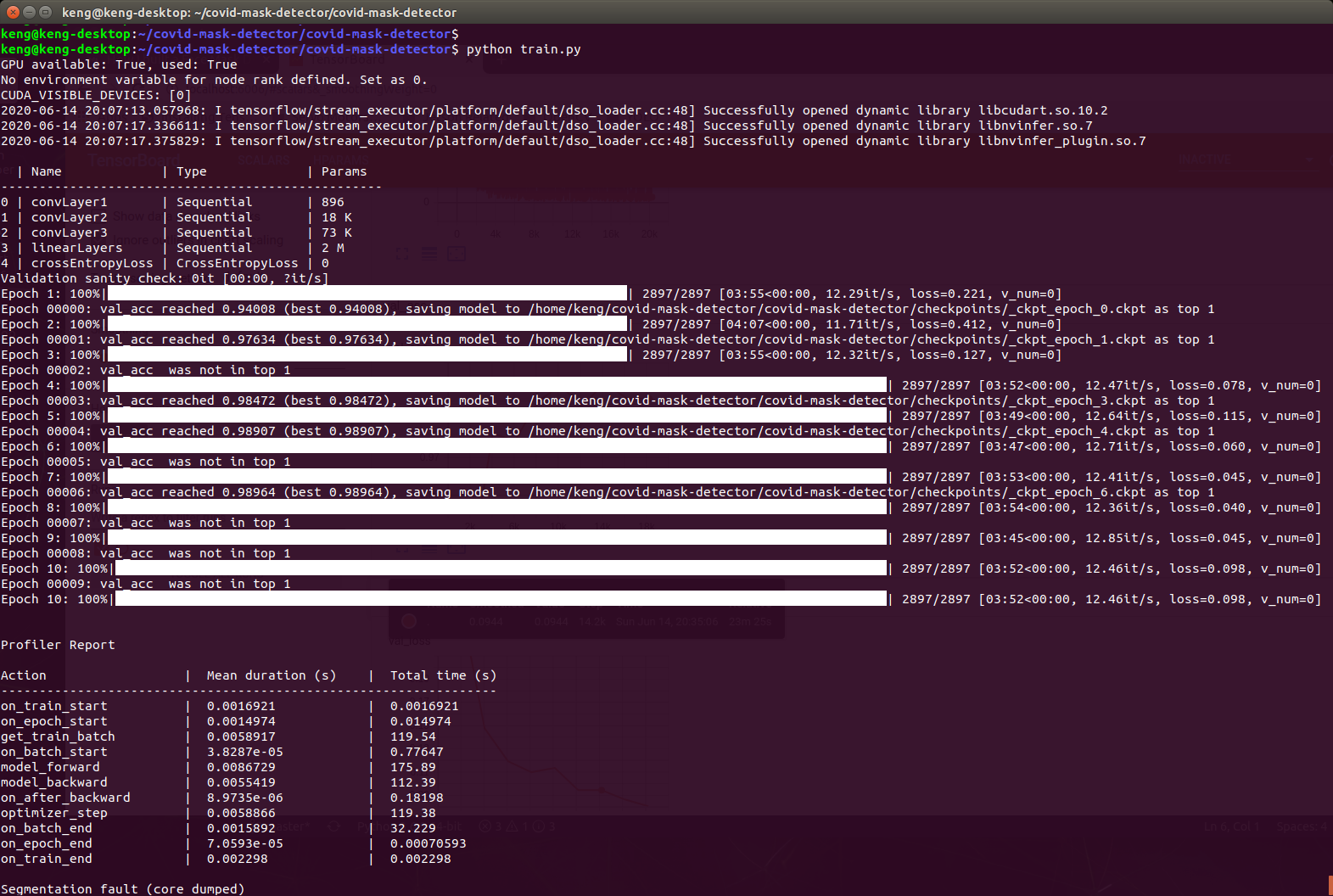
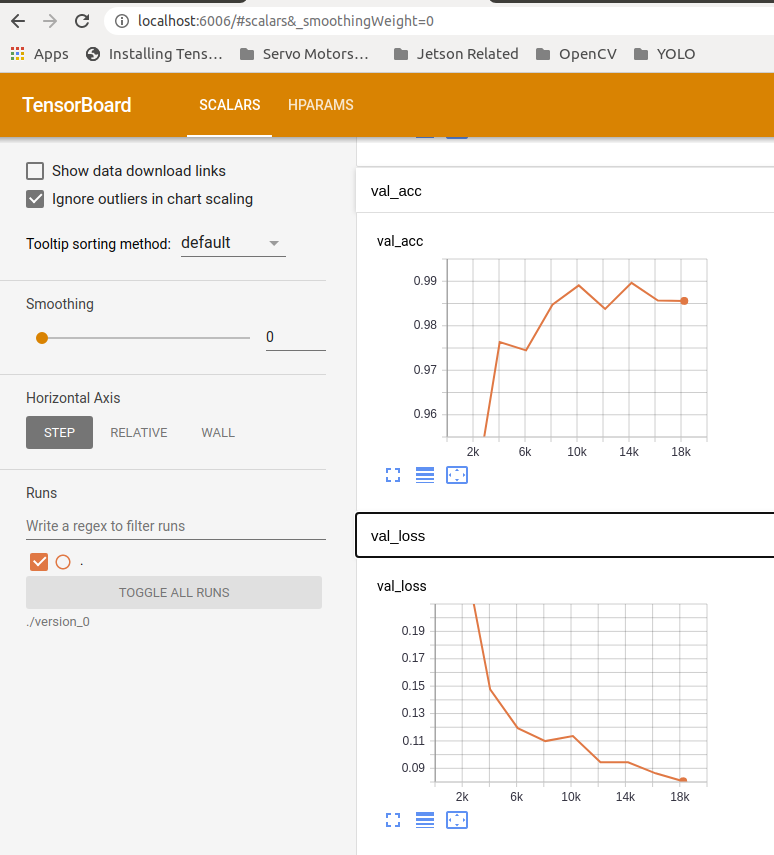
So overfitting really occurred at EPOCH 6. But this is not the point. The power is this unit. I am using this device to train ( which would otherwise have to be done via GOOGLE CLOUD or AMAZON and it also means, you end up paying for the time you spend training on CLOUD )
Tested the generated weights against a video feed. It’s a two step process, but not efficient. Detect faces 1st, then use faces to detect if there is a mask. Getting CHINESE characters onto CV2 on a Xavier. Can be done but it’s an image overlay via PIL. Here’s what you can see:
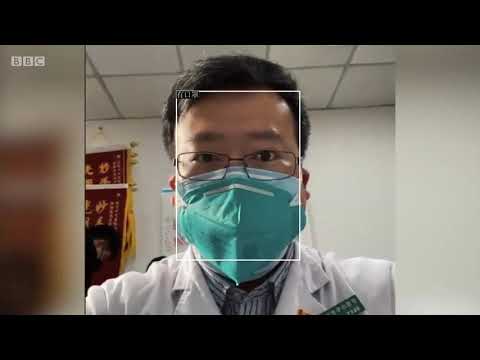
Reducing the threshold for detecting faces resulted in more ‘non-faces’ but seemed to pick up more faces.
MTCNN - aka Face landmarks detection
One thing leading to another. Facial Landmarks are a way to detect points of the faces. This is no magic. So whoever tries to con and tell you his/her company is able to detect emotions and you are going to buy that company for 10s of millions is really dumb. There is “ready made” software. But like all software, it challenges the basic. And I returned back numpy.ndarray to Datacamp =) so, it took me awhile to look at the codes, test out in Python COMMAND prompt. Key, is not only about reading codes, but to know what to change and how to change.
- So the sample from mtcn-face-extraction [https://github.com/JustinGuese/mtcnn-face-extraction-eyes-mouth-nose-and-speeding-it-up/blob/master/MTCNN%20example.ipynb] doesn’t give boundary boxes for Advanced MTCNN. There is no point seeing number of images detected without looking at the frame. You will need facenet_pytorch
- You will need mtcnn for the basic example. Simple stuff always fail like pip3 install mtcnn complaining you need python-opencv-4.1. You will need some creative way to bypass the check on python-opencv4 [By the way, building cv2 from source v 4.3 is done easily with a make -j6 don’t forget you have 6 cores to complie ! so I have proven cv2 version 4.3 can work on NVIDIA Jetson Xavier]
- Images Scaling Resize changed to 1 and wola .. boxes fall in place.
fast_mtcnn = FastMTCNN(
stride=4,
resize=1,
margin=14,
factor=0.6,
keep_all=True,
device=device
)
Here’s the nice outcome:
Basic MTCNN
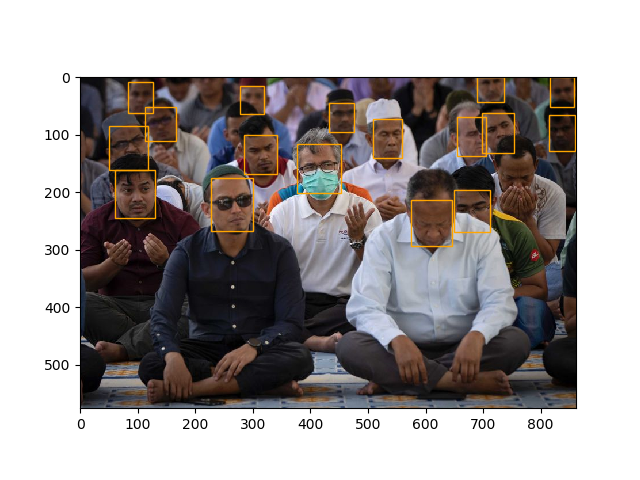
Advanced MTCNN

Alot alot more faces are detected than the initial exploration. I forgot to mention “Frames per second: 0.197, faces detected: 18” - 18 faces detected in 0.197 second. WOW! What a piece of hardware. Got to combine this to the mask/no mask and stream it through a video to see the latency.
Processed more files. Here’s the impressive face detection.
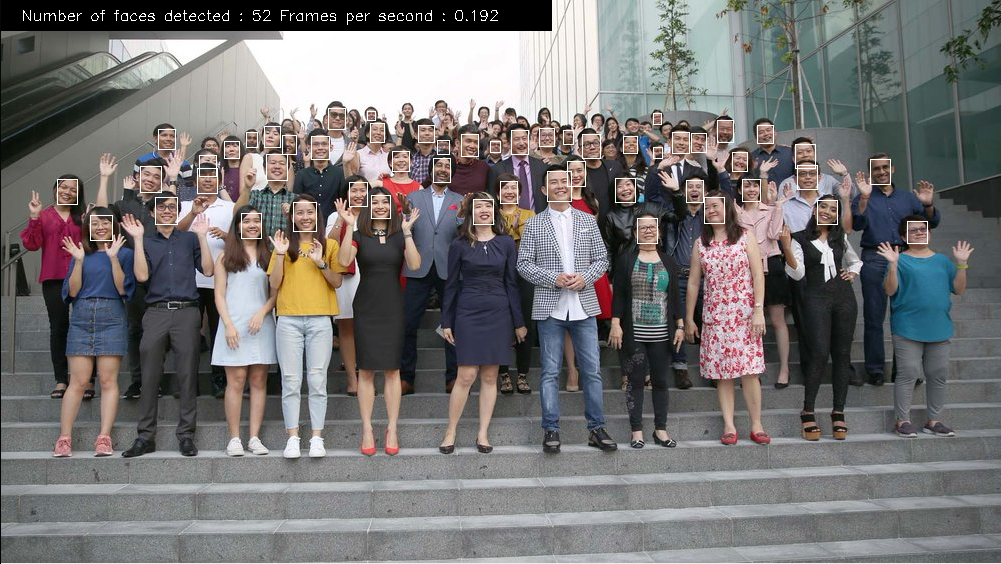
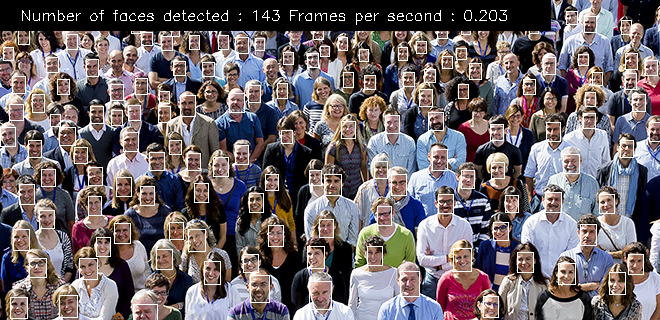
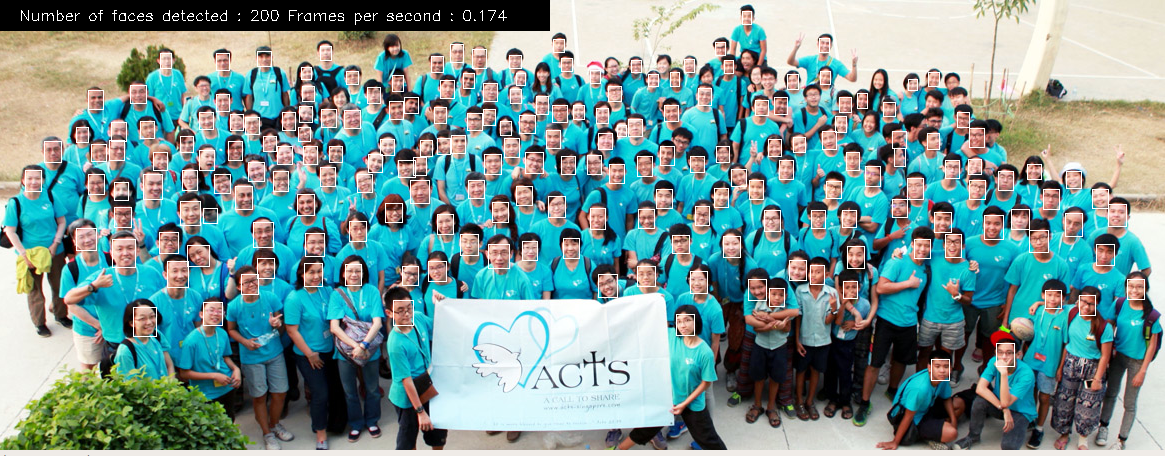
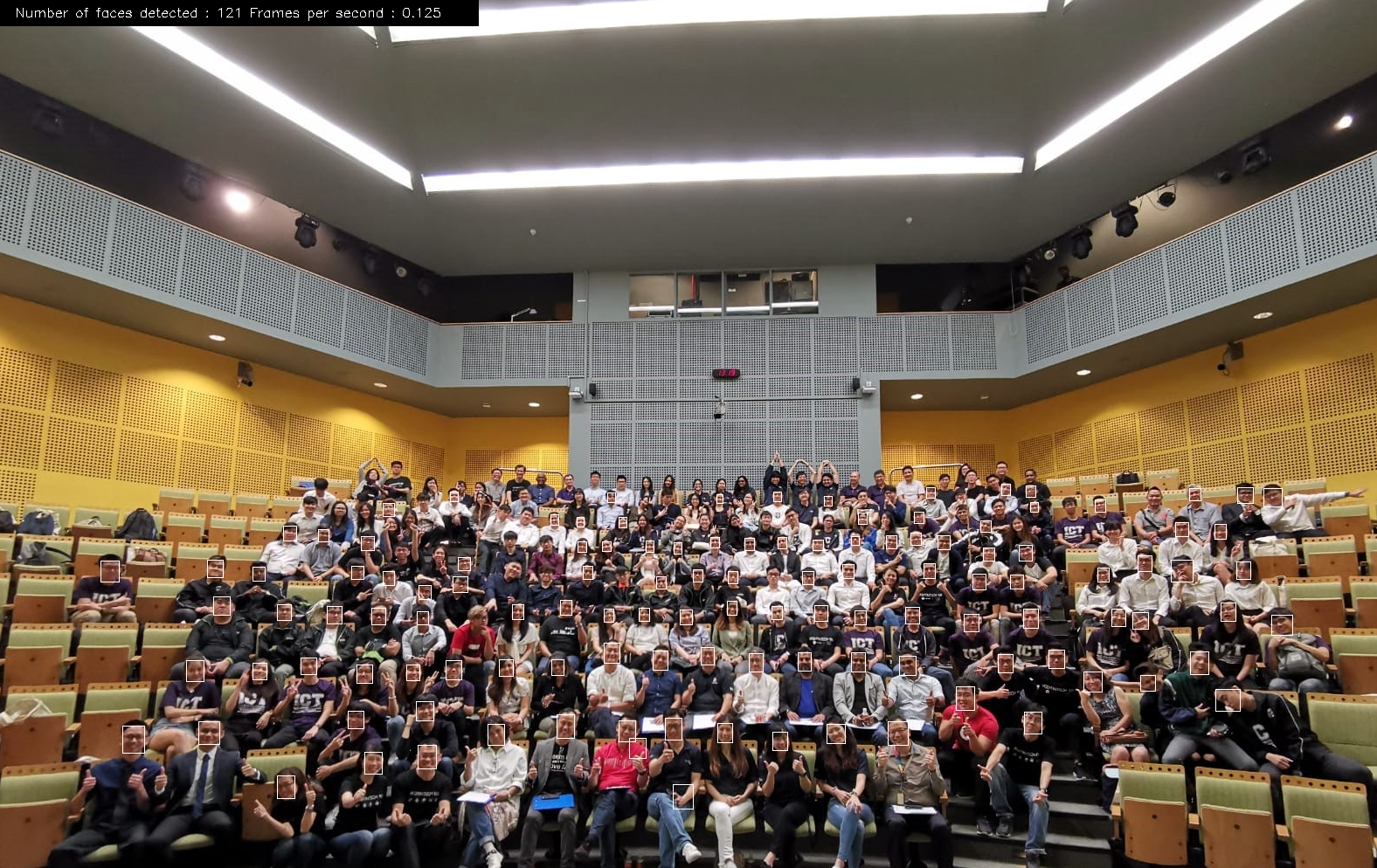
And the source code:
https://github.com/StrongRay/NVIDIA-Jetson-Xavier-NX/blob/master/advance-mtcnn.py
Learn enough to self correct
Like AUTOML, with time, software gets easier but no software can automate data prep and one can blindly follow.
Quick Learning
As a learning today, I chanced upon a TED talk by Josh Kaufman (video below) and got really inspired. The gist of the video is to say you can learn anything in 20 hours. But if you have a foundation, it makes it easier to latch on new skills.

The 4 steps to quick Learning are as follows
1) Deconstruct any Skill (much like WBS in project management) 2) Learn enough to self correct 3) Remove barriers of Practice (eg: distraction and “emotional” rather than “intellectual”) 4) Practice at least 20 hours
We don’t need 10,000 hours to be an expert. We just need 20 hours to learn something well enough. This meant an hour daily for 3 weeks. As I looked back, I mastered Cross System Product (CSP/AD) which in the 90s was a Mainframe code generator and taught classes on it. Then, its the same. Focus on something you love and you can be the best. Language changed. RPA was then ELLAPI in the old days. Syntax might change but the concept remains the same.
Afterthoughts:
We drabble into these once awhile, and Harish Pillay (Redhat) once said that he used github to document his instructions on Wireless#SG. I find it an extremely good advice. As we wipe out cards or write in notebooks, these instructions are lost and there is no “cloud” version. So this can be extremely useful for someone either fresh on UBUNTU or on NVIDIA. I even reference the part of increasing my RAM in my earlier post here for the commands. So, as this builds, I can slowly evolve this into a digital engineering logbook. That discipline is what ENGINEERING students do, keep a log book and document the observations and steps. And given this is open and 24x7, someone out there might find this useful and my advice is pass it on. Do your own logbook and help others. The knowledge is open but the beauty is the skill. This is an instance of an object. The FISH and not fishing itself. To move around, requires more than just this basic knowledge as it involves disciplined mind, interest and above all, many other disciplines like programming and debugging.